Cursor vs. Windsurf: I Swapped Editors for a Week – Here is the Winner
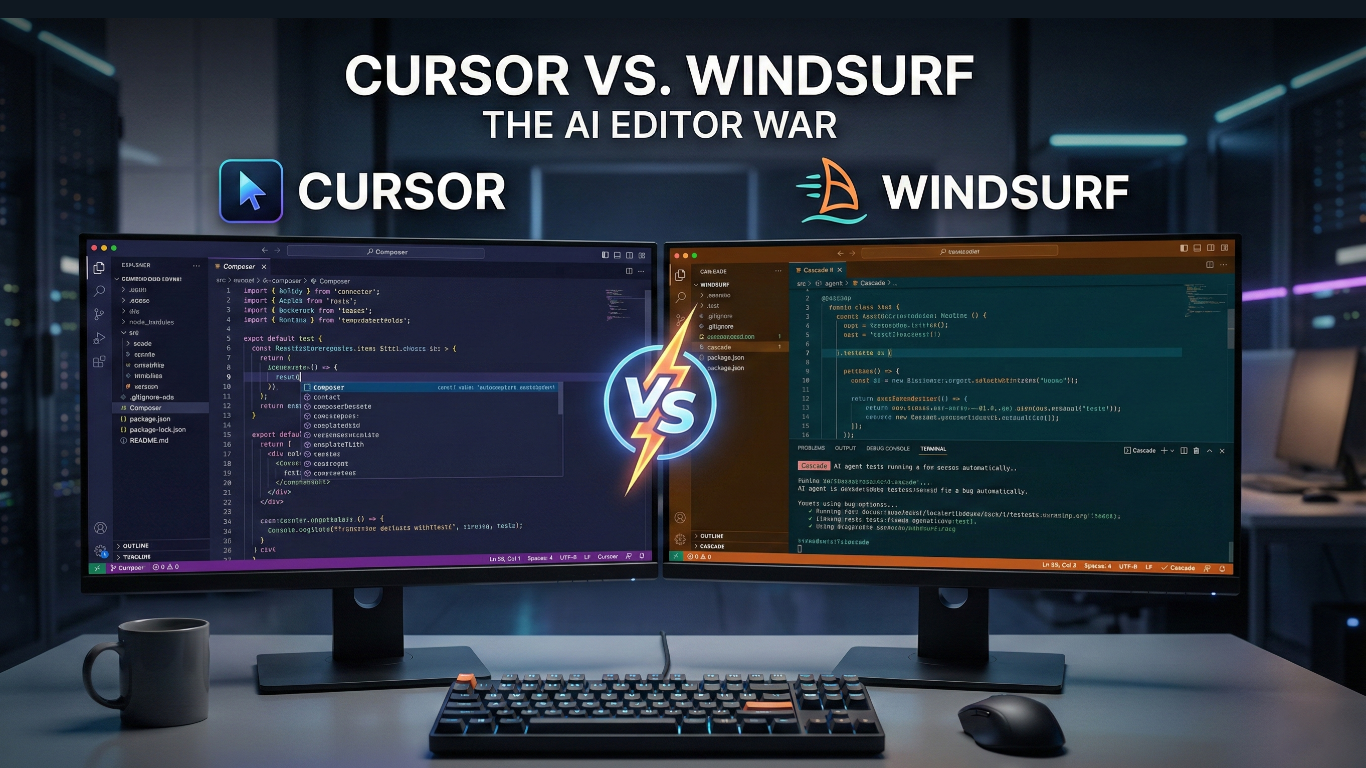
The Cursor vs Windsurf war has officially begun. For the last year, Cursor has been the undisputed king of AI-powered development. Its “Composer” feature and “Tab” autocomplete changed how we write code forever.
But there is a new challenger. Windsurf (by Codeium) has launched with a bold promise: it doesn’t just write code; it understands your entire project flow using a new engine called “Cascade.”
As a developer who lives in VS Code, I decided to put them to the test. I spent one full week building a React/Python app exclusively in Windsurf to see if it can actually dethrone Cursor. Here is my honest breakdown.
The Core Difference: “Composer” vs. “Cascade”
To truly understand the Cursor vs Windsurf difference, you have to look at how their AI brains work. While both editors look like VS Code (because they are forks of it), the underlying logic is distinct.
1. Cursor: The Speed Demon
Cursor is built for speed. Its flagship feature, Composer, allows you to open a floating window (Cmd+I) and edit multiple files at once. It feels like a super-powered “Edit” function.
- Strengths: Incredible speed. The “Tab” autocomplete predicts your next 3-4 lines with scary accuracy.
- Weakness: It sometimes lacks deep context. You often have to manually “tag” files (@main.py, @utils.py) to make sure it knows what you are talking about.
2. Windsurf: The “Deep Context” Agent
Windsurf takes a different approach called “Flows” powered by Cascade. Instead of just editing text, Cascade acts like a senior engineer sitting next to you. It constantly indexes your entire codebase in the background.
- The “Wow” Moment: When I asked Windsurf to “Refactor the auth system,” it didn’t just change the code. It opened the terminal, ran the tests to see if they failed, fixed the bugs it created, and then told me it was done.
- Deep Context: You rarely need to tag files. It “knows” which files are relevant based on your cursor position and recent edits.
The “Refactor Test”: How They Handled a Messy Component
In this Cursor vs Windsurf battle, to see which AI was smarter, I fed both editors a messy 300-line React component with no comments and asked them to “Split this into smaller sub-components and add TypeScript types.”
- Cursor (Composer): It successfully split the file into 3 parts, but I had to manually create the new files and paste the code in. It was fast, but manual.
- Windsurf (Cascade): It understood the assignment immediately. It automatically created the 3 new files, updated the import paths in the main file, and ran the build command to check for errors. It felt like magic.
Watch: A live head-to-head test of Windsurf vs Cursor on real coding tasks.
Cursor vs Windsurf: Feature Showdown
| Feature | Cursor | Windsurf |
|---|---|---|
| AI Engine | Claude 3.5 Sonnet / GPT-4o | Cascade (Hybrid Context) |
| Context Awareness | Manual (@File tagging) | Automatic (Deep Indexing) |
| Terminal Control | Basic Commands | Full Agentic Control |
| Price | $20/month | $15/month (Pro) |
The “Agent” Factor: Why Windsurf Might Win
When comparing Cursor vs Windsurf, the biggest difference I felt during the week was Agency. If you are interested in building your own AI Agents in Python, seeing how Windsurf handles tasks is a masterclass in design.
In Cursor, I feel like the pilot. I tell the AI exactly what to write, and it writes it faster than I can type. It is a force multiplier for my brain.
In Windsurf, I felt more like a manager. I could give it a vague instruction like “Fix the layout bug on the mobile view,” and Cascade would:
- Read the CSS.
- Read the React component.
- Propose a fix.
- Run the server to check if it crashed.
How to Switch from Cursor to Windsurf (in 2 Minutes)
If you have made your choice in the Cursor vs Windsurf debate, don’t worry about losing your VS Code extensions. Since both editors are forks of VS Code, migration is nearly instant.
- Install Windsurf: Download it from codeium.com/windsurf.
- Import Settings: On the first launch, Windsurf will ask to “Import from VS Code.” Click Yes.
- The Keybinding Fix: This is the only tricky part. By default, Windsurf uses different shortcuts. To get your Cursor muscle memory back:
- Press
Cmd+Shift+P(or Ctrl+Shift+P on Windows). - Type “Preferences: Open Keyboard Shortcuts (JSON)”.
- Paste your keybindings from Cursor here.
- Press
Verdict: Which One Should You Use?
After a week of heavy coding in this Cursor vs Windsurf experiment, here is my conclusion:
Stick with Cursor if: You want pure speed. If you are a senior dev who knows exactly what code you want, Cursor’s “Tab” autocomplete is still unbeatable. It feels snappier and lighter.
Switch to Windsurf if: You want an “Agent.” If you work in a massive codebase where you often forget where files are, or if you want the AI to handle the boring terminal work (git commits, running tests), Windsurf is the future.
My Choice? I am keeping Windsurf installed. The “Cascade” flow is just too powerful to ignore, even if I miss Cursor’s speed slightly.
Frequently Asked Questions (FAQ)
Is Windsurf free?
Yes. When comparing pricing in Cursor vs Windsurf, Windsurf offers a generous “Starter” tier that is free for individuals. Their “Pro” plan starts at $15/month, which is cheaper than Cursor’s $20/month Pro plan.
Can I use my VS Code extensions in Windsurf?
Yes! Both Windsurf and Cursor are forks of VS Code. You can import all your extensions, themes, and keybindings in one click during setup.
Does Windsurf support Python and JavaScript?
Windsurf supports all major languages (Python, JS, Rust, Go) and has specific optimizations for modern web frameworks like Next.js and React.