If you are building autonomous agents in 2026, you are likely facing a major integration nightmare. You spend more time writing “glue code” than actual AI logic. The Model Context Protocol is the revolutionary standard that fixes this integration problem forever.
In this comprehensive guide, we will break down exactly how the Model Context Protocol works, why it is essential for tools like Autonomous Agents, and how to set it up today. This is not just a trend; it is the new backbone of AI engineering.
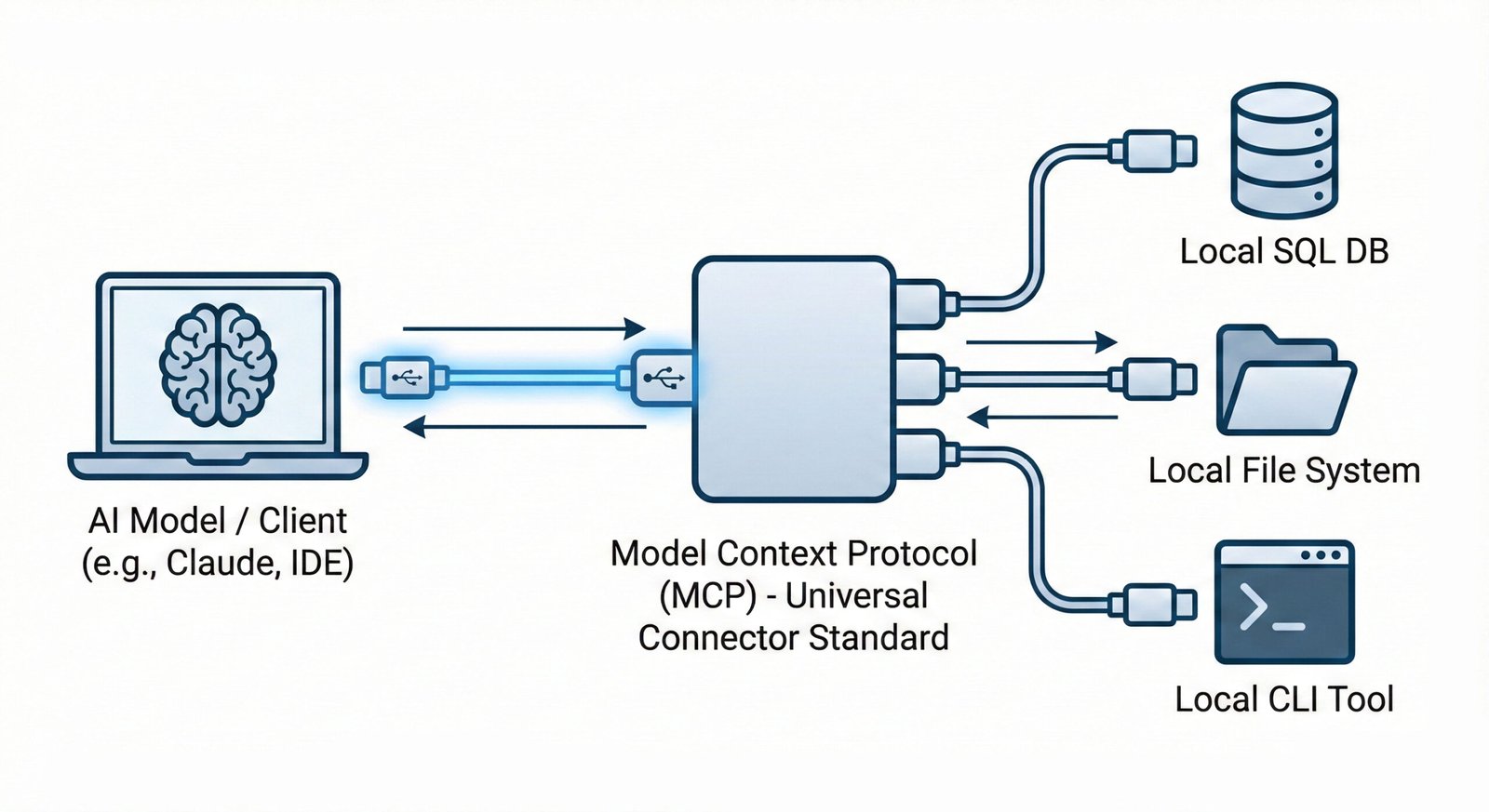
Why the Model Context Protocol Is Essential
To understand why this is a breakthrough, you have to look at the “API Hell” we were in before. If you wanted Claude to read your Google Drive, you wrote a custom script. If you swapped Claude for DeepSeek V3, you had to rewrite that script completely. If you wanted to add Slack? You had to write a third script.
The New Way (MCP):
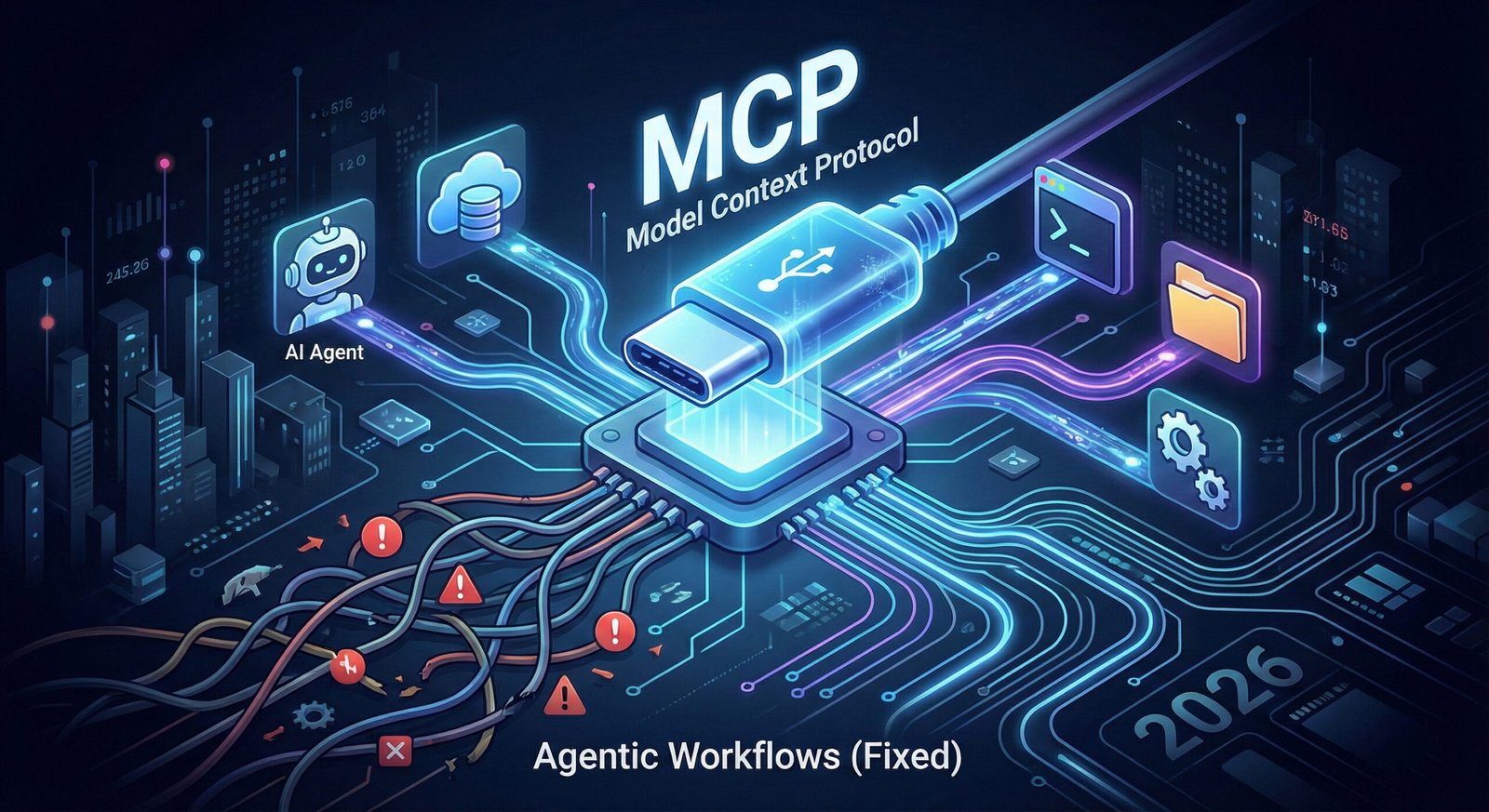
The Model Context Protocol fixes this by standardizing the plug. Just like a USB-C cable works whether you plug it into a MacBook or a Dell, an MCP Server works whether you plug it into Claude, DeepSeek, or Llama 4. You build the connector once, and it works everywhere.
This standardization is critical for the future of Agentic Workflows. Without the Model Context Protocol, building a swarm of agents that can access ten different tools would require maintaining ten different API integrations. With the protocol, it requires zero maintenance once the servers are running.
Model Context Protocol vs. Custom APIs
Let’s look at the code. This is what makes the Model Context Protocol superior for developers building scalable workflows.
The Legacy Way (Hard Coded)
You had to hard-code specific API calls for every single tool you used. This was fragile and hard to maintain.
# The "Old" Legacy Way
def get_customer_data(user_id):
    # This only works for ONE specific database
    # If the DB changes, this code breaks
    api = CustomDatabaseAPI("secret_key")
    return api.fetch(user_id)
The Model Context Protocol Way
With the Model Context Protocol, you expose a “Resource” that any AI can discover automatically. The AI handles the complexity, not your code.
# The "MCP" Way
@mcp.resource("mcp://customers/{user_id}")
def get_customer_resource(user_id: str) -> str:
    """The AI automatically learns how to use this resource."""
    return database.fetch(user_id)
Because of this standard, an AI agent using the Model Context Protocol can “see” your data without you having to teach it how to read the database schema every single time.
Deep Dive: How the Architecture Works
Understanding this architecture is critical if you want to use tools like Windsurf or Cursor effectively. The Model Context Protocol system consists of three distinct parts that handle the handshake between your data and the AI model.
1. The Host (The Brain)
This is the application where the AI lives. Examples include Cursor, Windsurf, or the Claude Desktop App. The Host is the “boss” that decides which tools to use to solve a problem. In 2026, most IDEs act as MCP Hosts by default.
2. The Client (The Bridge)
This is the invisible protocol layer that translates the AI’s natural language requests (“Get me the latest sales data”) into standardized JSON-RPC commands that the Model Context Protocol understands.
3. The Server (The Hands)
This is a lightweight script running on your computer. It exposes specific resources (like files or database rows) to the Client. Crucially, the MCP Server stays local, meaning your private data never has to leave your machine unless you explicitly want it to. You can find community-built servers on the official GitHub Repository.
Tutorial: Using Model Context Protocol with DeepSeek
Theory is boring. Let’s build. Here is how you can use the protocol to give a local DeepSeek model access to your file system.
Step 1: Install the SDK
Open your terminal and install the official library. This library handles all the complex JSON-RPC communication for you.
pip install mcpStep 2: Create a Server
Create a file called server.py. This script uses the new FastMCP class to expose a folder via the Model Context Protocol.
from mcp.server.fastmcp import FastMCP

# Initialize the server
mcp = FastMCP("My Local Files")

@mcp.tool()
def list_files(directory: str) -> str:
    """Lists all files in a specific directory."""
    import os
    try:
        return "\n".join(os.listdir(directory))
    except Exception as e:
        return str(e)

if __name__ == "__main__":
    mcp.run()
Step 3: Connect to Cursor
Go to your Cursor settings file (~/.cursor/mcp.json) and add your new server configuration.
{
  "mcpServers": {
    "my-file-server": {
      "command": "python",
      "args": ["/path/to/your/server.py"]
    }
  }
}
That’s it. The next time you open Cursor and type “Check my documents folder for the latest invoice,” DeepSeek will automatically see the list_files tool, execute it, and read the result.
Troubleshooting Common MCP Issues
Even with a standardized protocol, things can go wrong. Here are the most common issues developers face when setting up the Model Context Protocol.
- Connection Refused: This usually happens if the server script crashes silently. Always run your Python script in a separate terminal first to check for syntax errors before connecting it to Cursor.
- “Tool Not Found”: If the AI cannot see your tool, make sure you decorated your function with
@mcp.tool(). Without this decorator, the Model Context Protocol client will ignore the function for security reasons. - JSON-RPC Errors: Ensure you are using the latest version of the SDK. The protocol specification updates frequently, and mismatched versions between Client and Server can cause communication failures.
Verdict: Why You Must Adopt This Standard
If your AI application cannot access your live database or your local file system, it is just a toy. To build real software in 2026, you need connection. The Model Context Protocol turns toys into employees.
By adopting this standard today, you prepare your infrastructure for the autonomous future where agents talk to agents, and humans just supervise the results. It is the most important skill for an AI Engineer to learn this year.
Frequently Asked Questions (FAQ)
Is the Model Context Protocol secure?
Yes. It runs locally on your machine by default. You control exactly which folders or databases the “Server” exposes to the AI. The AI cannot access anything you haven’t explicitly exposed.
Does it work with OpenAI?
Yes. While Anthropic created it, the Model Context Protocol is open-source and works with GPT-4o, DeepSeek, and Llama via tools like Ollama.
Can I use it with remote servers?
Yes. While local connections are the default, the protocol supports connecting to remote servers over SSE (Server-Sent Events), allowing you to connect cloud databases to your local AI agent.