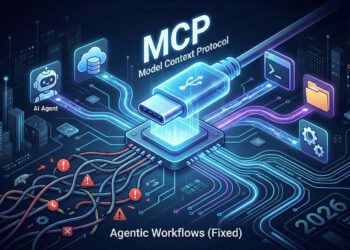
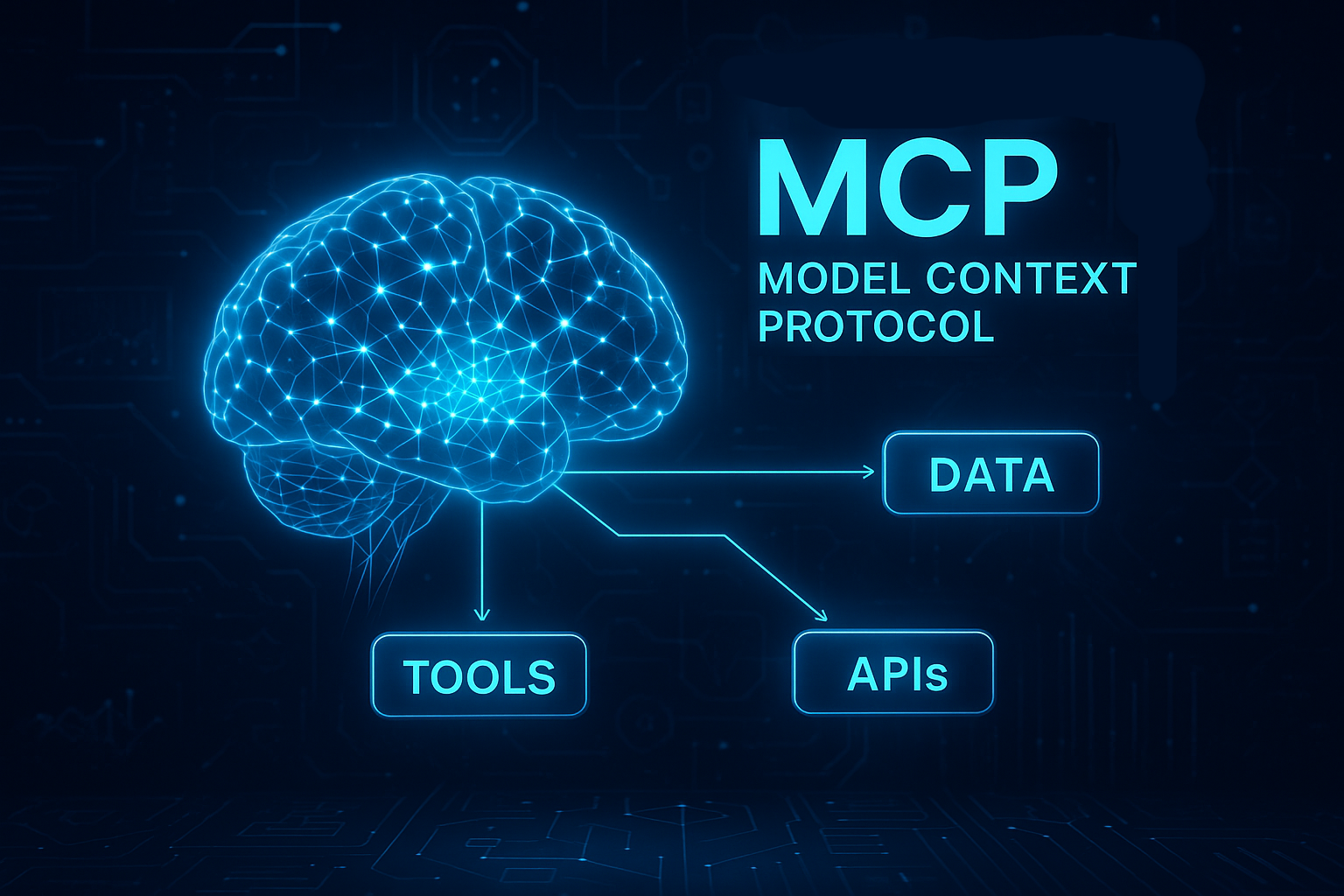
Model Context Protocol (MCP) is quickly becoming one of the most important standards in modern AI infrastructure. As agentic systems, LLM tools, and automated workflows expand across industries, developers need a reliable, secure, and universal way for AI models to connect with tools, databases, APIs, and real-world systems.
In 2026, MCP is no longer a niche experiment — it is rapidly becoming the default interoperability layer for AI agents. This guide explains everything you need to know about MCP: how it works, why it matters, how to implement it, and how it will shape the future of AI development. Model Context Protocol gives developers a consistent way to let AI agents use tools without writing one-off integrations for every model and platform.
This SmartHackly guide is designed for:
- Developers building AI-powered products
- Startups creating agentic workflows
- Enterprises integrating LLMs with internal tools
- Researchers exploring the next generation of AI architecture
By the end of this guide, you’ll have a deep understanding of the MCP ecosystem — supported by clean diagrams, example schemas, and practical steps for implementation. For teams building serious agentic systems, Model Context Protocol is becoming the default way to expose tools, data sources, and workflows to LLMs.
What Is Model Context Protocol (MCP)?
MCP is an open standard that defines how AI models communicate with external tools, services, and data sources safely and consistently.
Traditionally, LLMs relied on:
- Proprietary plugins
- Custom APIs
- Hard-coded integrations
- Inconsistent permission models
MCP replaces this fragmentation with a universal, open, tool-focused protocol. With MCP, any model — OpenAI, Anthropic, DeepSeek, open-source LLMs — can interact with tools using the same standard.
MCP = a unified language that allows AI agents to use tools safely, predictably, and interoperably.
Why MCP Matters in 2026
As AI agents become more capable, the bottleneck is no longer intelligence — it is safe access to tools and data. MCP solves the core challenges of agentic systems:
- Security: LLMs get clearly defined permissions and cannot perform hidden actions.
- Standardization: A single protocol replaces dozens of incompatible plugin formats.
- Interoperability: Tools built once work across multiple AI models.
- Scalability: Enterprises can manage hundreds of tools with consistent governance.
MCP is positioned to become the backbone of AI operations across cloud infrastructure, developer tools, agent frameworks, and enterprise automation.
MCP Architecture Explained Simply
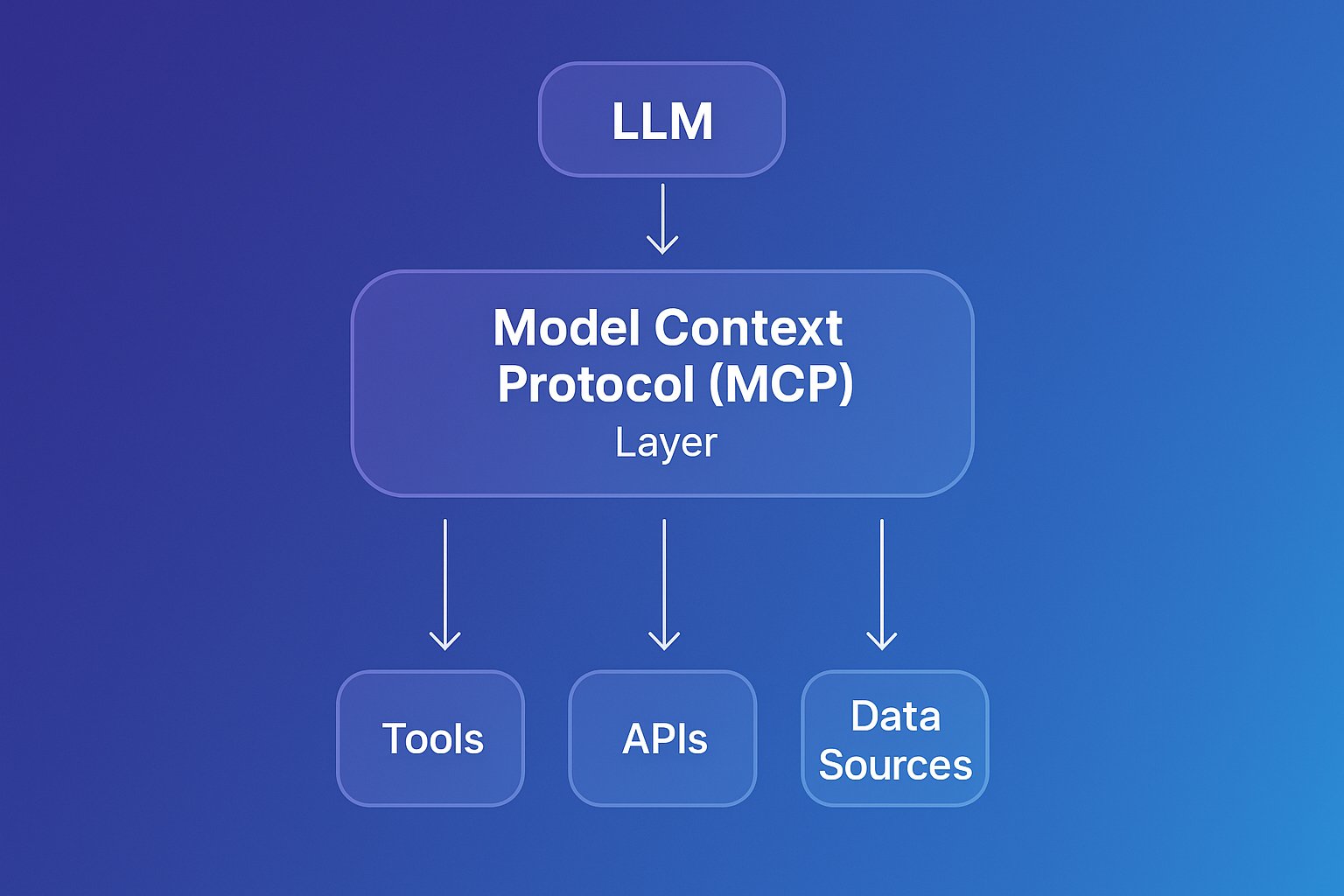
MCP consists of three main components:
1. The Client (LLM or AI Agent)
This is the AI system that wants to perform actions or request data. Examples:
- GPT-5 with tool access
- Claude 4.1 with enterprise connectors
- DeepSeek agents
- Any open-source LLM using an MCP runtime
2. The Server (Tool Provider)
The server exposes tools and capabilities through MCP:
- Database queries
- File operations
- Business logic
- Search functions
- Automation steps
3. The Transport Layer
Typically WebSockets or HTTP — used for:
- Tool discovery
- Schema validation
- Request/response flow
- Event streaming
MCP vs APIs vs Plugins
| Feature | MCP | Traditional API | Plugins |
|---|---|---|---|
| Standardized | Yes | No | Partially |
| Security model | Strong | Varies | Weak |
| Works across models | Yes | No | No |
| Automatic tool discovery | Yes | No | Yes |
| Perfect for agent workflows | Excellent | Limited | Moderate |
Conclusion: MCP is the evolution of APIs for the agent era.
Core Components of MCP
Every MCP server defines:
1. tools
The functions the AI can call.
2. resources
Files, documents, knowledge bases, or other accessible data.
3. prompts
Predefined prompt templates the model can request.
4. capabilities
Metadata describing what the server supports.
5. permissions
Explicitly declared — preventing unsafe model behavior.
How MCP Handles Context
One of MCP’s strongest features is dynamic context retrieval:
- No need to stuff data into the prompt window.
- Models request only the relevant context.
- Enterprises can fully control what data is accessible.
This reduces cost, improves accuracy, and prevents data leaks.
Security Model
MCP is designed as a “secure-by-default” environment:
- LLMs cannot call tools without explicit permissions.
- The server declares exactly what is available.
- Every action is logged.
- Developers can sandbox high-risk functions.
Compared to early plugin ecosystems, MCP is significantly safer.
Light Example: A Simple MCP Server (JSON Schema)
This minimal MCP server exposes a simple tool that returns the current server time.
{
  "mcp": {
    "name": "example-server",
    "tools": [
      {
        "name": "get_time",
        "description": "Returns current server time",
        "schema": {
          "type": "object",
          "properties": {}
        }
      }
    ]
  }
}
Any AI model connected via MCP can automatically discover and call this tool.
Real-World Use Cases of MCP
MCP is not theoretical — it is already being used in production systems across developer tools, enterprises, and AI research environments. Here are the most important real-world applications.
1. Enterprise Automation
Enterprises use MCP to connect LLMs with internal systems such as:
- CRMs
- HR platforms
- Inventory management
- Analytics dashboards
- Document storage systems
Instead of writing dozens of fragile integrations, MCP provides a universal connector that AI agents can use to retrieve data, generate reports, and automate workflows securely.
2. Developer Tools (VSCode, GitHub, CLI agents)
Developer environments are adopting MCP because it enables LLMs to:
- Read and edit files safely
- Run local tools (linters, formatters, tests)
- Interact with version control systems
- Provide context-aware suggestions
GitHub Copilot and open-source AI coding assistants are already experimenting with MCP-style interfaces for tool access.
3. AI Knowledge Systems (Retrieval + Context Management)
MCP enables hybrid retrieval setups where:
- Structured data
- Unstructured documents
- Embeddings
- Live APIs
…can all be exposed through a standard tool interface.
This solves a core problem in agent workflows: context fragmentation.
4. Multi-Agent Systems
MCP allows agents to share:
- resources
- capabilities
- safe execution environments
This is critical in 2026 for distributed autonomous systems.
Advantages of MCP for Developers
- 1. Build once, use everywhere. Any LLM can call your tools.
- 2. Clear separation between the model and the tool logic.
- 3. Easy debugging with structured schemas.
- 4. Enterprise-grade security built into the protocol.
- 5. Reduced integration costs and complexity.
- 6. Perfect fit for agentic workflows and RAG pipelines.
In short: MCP is the ideal developer standard for the agent era.
Limitations and Challenges
MCP is powerful but not perfect. Some current limitations include:
- Adoption is still early. Not all platforms support MCP yet.
- Requires schema design knowledge. Poor schemas = poor model performance.
- Security complexity. Enterprises must configure permissions carefully.
- Real-time tool calling may add latency.
These challenges are expected to fade as the MCP ecosystem matures.
Building Your First MCP Server (with Light Code Examples)
Here’s a practical example using a simple Node.js implementation. This server exposes two tools that an AI agent can call.
Example: Node.js MCP Server
// server.js
import { WebSocketServer } from "ws";
import { handleMCPRequest } from "./mcp-core.js";

// Start WebSocket MCP server
const wss = new WebSocketServer({ port: 8080 });

wss.on("connection", ws => {
  ws.on("message", async message => {
    const response = await handleMCPRequest(JSON.parse(message));
    ws.send(JSON.stringify(response));
  });
});

// Define MCP capabilities and tools
export const mcpConfig = {
  name: "demo-mcp-server",
  tools: [
    {
      name: "get_time",
      description: "Returns server time",
      schema: { type: "object", properties: {} }
    },
    {
      name: "echo",
      description: "Returns the provided text",
      schema: {
        type: "object",
        properties: { text: { type: "string" } },
        required: ["text"]
      }
    }
  ]
};
An AI model connected to this server can call the tools like:
call_tool("echo", { text: "Hello from MCP!" });
How MCP Fits Into Agentic AI Workflows
MCP is not just a connector — it is a foundational building block of agent systems. Here’s why it matters:
1. Agents Need Tools
Agents cannot rely solely on reasoning. They need:
- File access
- APIs
- Search functions
- Data extraction
- Task execution capabilities
MCP standardizes this requirement.
2. Agents Need Controlled Permissions
MCP enforces least-privilege access, preventing uncontrolled actions.
3. Agents Need Structured Context
MCP allows dynamic, on-demand context retrieval — essential for long workflows.
4. Multi-Agent Orchestration
Shared MCP servers allow multiple agents to:
- Collaborate
- Use shared resources
- Coordinate actions
This is the core of 2026 autonomous AI ecosystems.
The Future of MCP
Looking forward, MCP is expected to become the primary interface layer for LLM-based systems. Trends include:
- Universal adoption across agent frameworks.
- MCP-native developer tools replacing plugins.
- Enterprises building internal MCP ecosystems.
- Multi-agent architectures using shared MCP hubs.
- Security-first AI design with MCP permissions as the default.
Simply put: MCP is the new “API layer” for artificial intelligence. As AI architectures mature, Model Context Protocol is likely to become a core part of every serious AI stack.
Advanced MCP Concepts: Real-World Applications, Architecture, and Best Practices
As MCP adoption accelerates across both startups and large enterprises, development teams are exploring new ways to extend the Model Context Protocol into more advanced, production-ready agentic systems. This section provides a deeper look into how MCP is reshaping AI architectures, unlocking new automation opportunities, and enabling more secure, reliable, and scalable agent workflows.
Real-World Use Cases for MCP
MCP is not theoretical — it is already powering real systems in production. Below are practical examples of how teams implement MCP to enhance productivity, automation, and AI-driven decision-making.
1. Enterprise Knowledge Assistants
Companies with large internal knowledge bases often struggle with slow retrieval and fragmented documentation. MCP allows LLMs to access:
- HR policies
- Engineering runbooks
- Internal databases
- Service logs and audit trails
This transforms basic chat assistants into fully functional enterprise copilots capable of answering complex questions with real-time data.
2. Secure File Operations for Developers
With MCP’s readFile and writeFile resources, AI agents can safely interact with a project’s codebase. This enables workflows such as:
- Refactoring code automatically
- Generating structured documentation
- Applying patches and fixes
- Running analysis on logs or configs
By limiting access to specific directories, MCP ensures that AI tools cannot read or modify sensitive system-level files.
3. AI-Assisted DevOps
DevOps teams use MCP to give LLMs controlled access to:
- CI/CD logs
- Deployment pipelines
- System metrics
- Error dashboards
This enables agents to diagnose failures, recommend fixes, and summarize incidents without accessing full production environments.
4. Multi-Agent Collaboration
MCP is ideal for multi-agent systems where each agent performs a specialized role. For example:
 ┌───────────────────┐        ┌────────────────────────────┐
 │  Research Agent   │        │   Execution Agent           │
 │ (queries tools)   │───────▶│ (runs commands via MCP)     │
 └───────────────────┘        └────────────────────────────┘
               │                          ▲
               ▼                          │
        ┌─────────────┐          ┌──────────────────┐
        │  Retrieval   │◀────────│  Validation Agent │
        │    Tool      │          └──────────────────┘
        └─────────────┘
Because MCP standardizes tool interfaces, multi-agent coordination becomes much easier to build and debug.
5. Data Analysis & Automated Reporting
Analysts often use MCP to automate their reporting pipeline. An MCP server can expose tools that:
- Query databases
- Transform data using Python
- Generate charts or summaries
- Store results into dashboards
This turns an LLM into a hybrid analyst capable of orchestrating ETL (Extract, Transform, Load) workflows.
MCP vs APIs vs Plugins vs RAG: How They Compare
Many developers ask whether MCP replaces APIs or RAG (Retrieval-Augmented Generation). The answer depends on your architecture.
MCP vs Traditional APIs
- MCP is designed for AI models — APIs are designed for applications.
- MCP adds schema validation to ensure predictable outputs.
- MCP supports resource-controlled operations like file access.
APIs remain essential, but MCP provides a more AI-native interaction layer.
MCP vs RAG
RAG provides documents, MCP provides tools.
RAG answers questions. MCP performs actions.
The strongest AI systems combine both:
- RAG retrieves context
- MCP performs operations using that context
MCP vs Browser/Plugin Extensions
Plugins are powerful but tightly coupled to a single platform. MCP is open, portable, and can work across any LLM with MCP support.
Security Best Practices for MCP Servers
Security is one of the most important advantages of MCP. However, developers must implement it correctly. Below are industry-recommended guidelines.
1. Restrict File System Access
Never expose your full disk. Use an allowlist:
{
  "allowedDirectories": ["./project/src", "./logs"]
}
This prevents AI models from reading sensitive files like ~/.ssh or environment variables.
2. Validate All Inputs with Schema
MCP schemas act like a firewall — invalid or dangerous inputs are rejected before execution.
3. Rate-Limit Expensive Actions
When tools call external APIs or long-running processes, set quotas:
- Max queries per minute
- Max parallel workflows
- CPU and memory caps
4. Audit Everything
Log:
- Which tools were used
- What parameters were passed
- What outputs were returned
This is essential for enterprise governance and compliance. For a real-world example of how AI and legal risk intersect, see our analysis of the NYT vs Perplexity AI lawsuit.
Scaling MCP for Production Workloads
As your MCP server grows, scaling becomes crucial. Here’s what teams should consider:
Horizontal Scaling
Run multiple MCP server instances behind a load balancer. Make sure each instance:
- Uses the same tool definitions
- Shares state through Redis or similar
- Handles WebSocket connections efficiently
Vertical Scaling
Optimize CPU-heavy tasks by moving them off the MCP server:
- Batch processing
- Cron jobs
- Queue consumers
Caching Strategies
MCP servers benefit greatly from caching tool results. Examples:
- Database query caching
- LLM prompt caching
- Static content caching
Best Practices for Building Reliable MCP Tools
1. Keep Tools Small and Focused
Avoid monolithic “do everything” tools. Instead, break tasks into atomic operations that can be chained together.
2. Name Tools Intuitively
Models perform better when tool names resemble common human phrases:
searchFilesgenerateReportvalidateCredentials
3. Return Machine-Friendly Output
Use stable JSON structures — avoid narrative text when returning data to the model.
4. Document Tool Usage Clearly
Models will read description strings. Make them short, clear, and behaviorally descriptive.
The Future of MCP: Trends to Watch in 2026–2028
MCP is still evolving, but its trajectory is clear. Below are the trends most likely to shape the ecosystem.
1. Standardization Across LLM Vendors
Expect OpenAI, Anthropic, Google, Meta, and open-source models to adopt more MCP-compatible interfaces. You can track the protocol’s evolution via the official Model Context Protocol repository and OpenAI developer documentation.
2. Native Multi-Agent Support
Future MCP versions will likely include:
- Agent hand-off protocols
- Cross-agent context sharing
- Automatic capability negotiation
3. Tool Marketplaces
MCP tooling ecosystems will emerge, similar to VSCode extensions. Developers will install tools instead of building everything from scratch.
4. Hardware-Accelerated MCP Workflows
Expect GPU-accelerated data tools and edge-optimized MCP servers for robotics and IoT.
5. Enterprise Compliance Frameworks
MCP will integrate with SOC2, HIPAA, GDPR, and industry-specific audit systems.
Overall, MCP is shaping up to be one of the foundational standards of the AI age — much like HTTP was for the web.
Integrating MCP with RAG, Agents, and Advanced AI Pipelines
As AI systems grow in complexity, MCP is becoming a foundational layer for connecting language models with Retrieval-Augmented Generation (RAG) pipelines, multi-agent systems, and enterprise orchestration workflows. This section explores advanced integration patterns and architectures that developers can use to build secure, scalable, and highly capable AI applications.
MCP + RAG: A Powerful Combination
RAG has become a standard technique for providing LLMs with accurate, up-to-date information. MCP enhances RAG by giving the model direct access to retrieval tools, search services, and structured knowledge sources.
Typical architecture:
LLM ──▶ MCP Tool: searchIndex ──▶ Vector Database (Pinecone, Chroma, Weaviate)
      │
      └──▶ MCP Tool: fetchDocument ──▶ External API / Knowledge Base
Benefits of MCP-enhanced RAG:
- Structured retrieval: Tools define exactly what the model can access.
- Dynamic context: MCP can fetch relevant documents in real time.
- Reduced hallucinations: The model relies on retrieved facts instead of guessing.
MCP tools also give developers fine control over result formatting, which significantly improves answer quality.
Example: MCP Tool for RAG Search
{
  "name": "searchIndex",
  "description": "Searches the enterprise vector index for relevant documents.",
  "inputSchema": {
    "type": "object",
    "properties": {
      "query": { "type": "string" },
      "top_k": { "type": "number", "default": 5 }
    },
    "required": ["query"]
  }
}
When the LLM calls the tool, the server can query the vector DB and return structured metadata instead of raw text — giving you better downstream control.
Building Multi-Agent Systems with MCP
MCP is an excellent foundation for multi-agent architectures because it enables clean separation of capabilities. Each agent can access a specific subset of tools and resources, preventing uncontrolled behavior.
Multi-Agent Pattern: Specialist Agents
      ┌────────────────────┐
      │  Planning Agent    │
      │ (high-level goals) │
      └─────────▲──────────┘
                │
 ┌──────────────┴──────────────┐
 │                             │
 ▼                             ▼
┌──────────────────┐   ┌───────────────────┐
│ Knowledge Agent  │   │ Execution Agent   │
│ (RAG + MCP tools)│   │ (runs commands)   │
└──────────────────┘   └───────────────────┘
This architecture is now used in advanced AI systems that handle operations, customer support, research, and automation workflows.
Multi-Agent Pattern: Tool Delegation
One agent gathers context using MCP tools, and another agent uses that context to perform actions. MCP provides a stable interface for both.
Enterprise Adoption: MCP Governance and Compliance
Enterprises adopting MCP often have strict compliance and security requirements. The protocol’s structured nature lends itself well to controlled, auditable environments.
Key Governance Strategies
- Tool-level permissions: Only certain roles can invoke certain tools.
- Execution whitelists: Define exactly which commands an agent may run.
- Output validation: Ensure outputs follow formatting rules and avoid leaking sensitive data.
- Audit logging: Track every tool call, parameter, and result.
MCP for Regulated Industries
MCP is particularly useful in:
- Healthcare workflows (HIPAA compliance)
- Banking operations (SOX & AML monitoring)
- Legal research (document provenance)
- Manufacturing & robotics (safety-critical operations)
Because MCP restricts tool access tightly, enterprises get predictable, safe agent behavior — a critical requirement when deploying AI into real-world operations.
Debugging MCP Workflows Effectively
Debugging an MCP-based agent can be challenging, but there are proven techniques that make it far easier.
1. Inspect Tool Calls
Log the following for every invocation:
- Tool name
- Input parameters
- Output structure
- Error messages (if any)
2. Validate Schemas Early
Most MCP errors occur due to schema mismatches. Validate input and output schemas before deploying a tool.
3. Use a Local Debug Server
Developers often run an MCP server locally with verbose logging enabled. This lets them observe every message passing between the model and tools.
4. Provide Test Prompts
Create a suite of prompts that test the boundaries of your tools. This ensures that the model understands tool usage clearly.
Performance and Optimization in MCP Architectures
Performance optimization becomes essential when scaling MCP servers for real workloads.
1. Use Connection Pools
For tools that access databases or external APIs, use pooled connections to reduce overhead.
2. Cache Expensive Results
MCP servers can cache:
- RAG search results
- API responses
- Parsed documents
3. Minimize Round Trips
Each model-to-tool call adds latency. Combine related tasks into a single tool where appropriate.
4. Benchmark Tool Runtime
Track execution time for each tool. Identify slow functions and optimize or cache them.
Developer Templates for MCP Projects
Developers often benefit from reusable patterns. Below is a reference template for building a standardized MCP tool.
MCP Tool Template
{
  "name": "processData",
  "description": "Processes and transforms structured data",
  "inputSchema": {
    "type": "object",
    "properties": {
      "data": { "type": "array" },
      "operation": { "type": "string" }
    },
    "required": ["data", "operation"]
  }
}
This tool template is the foundation for advanced MCP workflows.
MCP Best Practices Checklist
- Keep tools small, focused, and composable.
- Favor structured JSON outputs over text.
- Validate all inputs using JSON schemas.
- Rate-limit expensive operations.
- Audit and log all tool calls.
- Use allowlists for file access.
- Design intuitive tool names that models understand.
- Combine MCP + RAG for high accuracy and reliability.
Following these best practices ensures that your MCP workflows remain secure, maintainable, and scalable, especially as your AI agents take on more complex tasks.
Implementing MCP in Real Development Teams: Architecture, Workflows, and Rollout Strategies
As more engineering teams adopt AI-assisted workflows, MCP is emerging as a cornerstone technology for securely exposing tools, structured data sources, and controlled execution environments to large language models. But introducing MCP into a real engineering environment requires more than writing a server – teams must plan architecture, governance, onboarding, monitoring, and long-term maintenance. This section provides a practical, step-by-step guide for how modern engineering teams implement MCP at scale.
MCP Implementation Architectures: Choosing the Right Model
Different teams adopt MCP differently depending on their size, infrastructure, and goals. While there is no “one-size” solution, most real-world implementations fall into one of the following four patterns:
1. Local Developer MCP Servers (Ideal for IDE & coding workflow automation)
In this model, each engineer runs an MCP server locally on their machine. It exposes tools such as:
- File reading and writing
- Code refactoring commands
- Project search and analysis
- Test generation and automation
This model is excellent for codebases because the developer controls which folders and files are exposed. Productivity increases dramatically without compromising security.
2. Internal Network MCP Servers (Ideal for enterprise knowledge & tools)
Larger companies run MPC servers internally so LLMs can access:
- HR documentation
- Engineering playbooks
- Support runbooks
- IT dashboards
- Microservice inventories
This server typically sits behind a VPN or identity provider (Okta, Azure AD). Access is controlled by role-based permissions, making it suitable for enterprise teams with compliance requirements.
3. Multi-Service MCP Clusters (Ideal for AI copilots & multi-agent systems)
In advanced AI applications, each tool category runs as a separate MCP service:
 ┌──────────────────────────┐
 │   MCP Knowledge Server   │─┐
 └──────────────────────────┘ │
                              ├──▶ LLM Agent
 ┌──────────────────────────┐ │
 │     MCP DevOps Server    │─┘
 └──────────────────────────┘
This architecture allows different teams to own different MCP tools, improving maintainability and scalability.
4. Cloud-Native MCP Gateways (Ideal for SaaS products)
Some companies use MCP as the bridge between their SaaS product and AI copilots. This enables controlled access to:
- User documents
- Databases
- Workflows
- Application logs
Because MCP schemas define inputs and outputs, SaaS teams can guarantee predictable operation even when models update or change behavior.
Team Workflow Strategy: How MCP Fits Into Daily Engineering Operations
Teams introducing MCP should follow a structured rollout plan. The most successful implementations typically follow this workflow:
Step 1: Identify High-Value Use Cases
Before building anything, engineering managers and senior developers identify where MCP will have the biggest impact:
- Developer productivity improvements
- Automating repetitive workflows
- Enhancing incident response
- Improving documentation search
- Connecting AI models to real data sources
This ensures the first MCP tools demonstrate clear ROI.
Step 2: Start With a Small Toolset
The biggest mistake teams make is trying to expose too many tools at once. Instead, begin with 3–5 tools such as:
searchFilesgetBuildStatusreadDocument
Once the team gains confidence, expand gradually.
Step 3: Define Tool Ownership
Each MCP tool should have a clear owner responsible for:
- Security
- Maintenance
- Versioning
- Documentation
This prevents the “unknown tool graveyard” problem seen in many plugin-based systems.
Step 4: Train the Model with Descriptions It Understands
Tool descriptions must be written for the AI model, not for humans. Models perform best when descriptions are:
- Short and action-oriented
- Written in functional language
- Clear about constraints
For example, instead of:
“Searches through various directories to locate any relevant text documents.”
Use:
“Search files in the allowed directory and return paths that contain the query.”
This dramatically increases tool usage accuracy.
Monitoring & Observability for MCP Systems
To run MCP in production, observability is essential. Below are the core metrics teams should monitor.
1. Tool Invocation Frequency
Track how often each tool is used. Underused tools may be poorly described. Overused tools may need rate limiting.
2. Error Types & Error Rate
Common error categories include:
- Schema validation failures
- Tool execution timeouts
- Permission errors
- Model misuse (wrong parameters)
This helps teams quickly identify which tools require improvements.
3. Latency Distribution
Every MCP tool call adds latency to the user’s experience. Track:
- P95 latency
- P99 latency
- Slow-path tools
Optimize or cache expensive tools.
4. Agent Behavior Profiles
In multi-agent systems, analyze how agents:
- Sequence tool calls
- Pass context between each other
- Escalate complex tasks
This exposes inefficiencies and incorrect agent reasoning patterns.
Risk Mitigation Strategies When Deploying MCP
Any powerful tool protocol comes with risks. MCP mitigates many of them, but engineering teams must implement proper controls.
Risk 1: Overexposing the File System
Mitigation: Strict directory allowlists.
Risk 2: Tools That Can Modify Production Systems
Mitigation: Separate “read-only” and “write-enabled” MCP servers.
Risk 3: Latency Spikes from API-Based Tools
Mitigation: Caching and asynchronous job queues.
Risk 4: Incorrect Tool Use by AI Models
Mitigation: Rewrite descriptions + add schema constraints.
A Recommended Starting Template for Team MCP Projects
Below is a practical structure used by teams deploying MCP in real production systems:
mcp/
 ├── tools/
 │    ├── searchFiles.ts
 │    ├── readDocument.ts
 │    ├── runCommand.ts
 │    └── summarizeLogs.ts
 ├── schemas/
 │    ├── searchFiles.schema.json
 │    ├── document.schema.json
 │    └── logs.schema.json
 ├── server/
 │    ├── index.ts
 │    ├── auth.ts
 │    ├── logging.ts
 │    └── config.ts
 ├── tests/
 │    ├── tool-tests/
 │    └── integration/
 └── README.md
This folder layout ensures separation of tools, schemas, security logic, and documentation — critical for long-term maintainability.
Rolling Out MCP Across a Large Engineering Team
Finally, here’s how enterprises typically deploy MCP:
- Phase 1: Pilot with a small development team.
- Phase 2: Expand toolset and introduce DevOps tools.
- Phase 3: Add internal knowledge retrieval tools (RAG).
- Phase 4: Deploy a full AI copilot used company-wide.
- Phase 5: Introduce multi-agent systems and orchestration.
This staged rollout prevents overwhelming teams and ensures stable, secure adoption.
With the right strategy, MCP becomes not just a protocol — but the backbone of an intelligent, automated engineering ecosystem.
Frequently Asked Questions (FAQ)
What is MCP?
MCP (Model Context Protocol) is an open standard that allows LLMs to communicate with external tools, APIs, and resources using a structured interface. It acts as a universal “bridge” between AI models and real-world systems.
Why is MCP important for developers?
MCP allows developers to expose tools in a consistent, secure, model-friendly format. This reduces integration complexity and gives AI agents safe access to data, files, and execution environments.
Is MCP required to build agentic workflows?
Not required, but strongly recommended. MCP provides structure, permissions, and resource control that make agent workflows safer, more predictable, and easier to debug.
Does MCP replace APIs?
No. MCP can wrap APIs, but it doesn’t replace them. It standardizes how LLMs communicate with tools and APIs, making integration more stable across models and platforms.
Is MCP secure enough for enterprise environments?
Yes. MCP uses permission layers, allowed tools, schema validation, and controlled resource access to prevent unauthorized operations. This makes it suitable for enterprise-grade workloads.
What programming languages support MCP?
MCP is language-agnostic. Developers can build MCP servers using Node.js, Python, Go, Rust, or any language that can handle WebSocket-based communication and JSON schemas.
Can MCP be used with multi-agent systems?
Yes. MCP is ideal for multi-agent setups because it lets multiple agents access shared tools and resources without hard-coded integrations.
Will MCP become the industry standard for AI integrations?
Most likely. As AI agents become central to applications, Model Context Protocol’s structured and secure interface model is positioned to become the default standard across the ecosystem.