SmartHackly
  • Home
  • News
  • AGI
  • Open Source
  • AI Applications
  • Startups
  • Enterprise
  • Resources
  • Robotics
No Result
View All Result
SAVED POSTS
SmartHackly
  • Home
  • News
  • AGI
  • Open Source
  • AI Applications
  • Startups
  • Enterprise
  • Resources
  • Robotics
No Result
View All Result
SmartHackly
No Result
View All Result
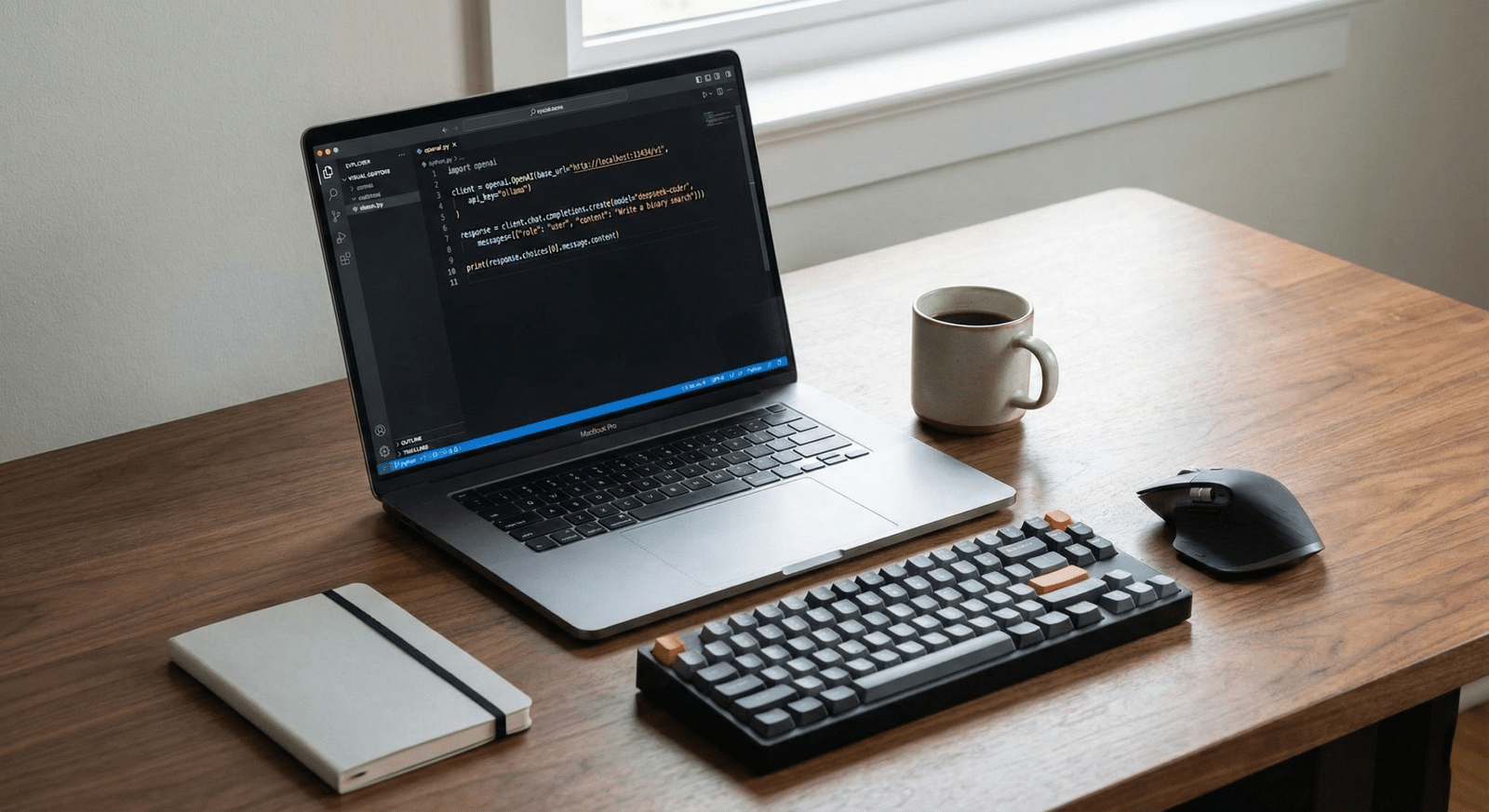
Professional developer workspace with a monitor displaying Python code in VS Code, illustrating open source AI coding tools workflow.

5 Open Source AI Tools That Beat ChatGPT for Coding (2025 Edition)

November 26, 2025
in Open Source, Resources
0
Share to Facebook

Open Source AI Coding Tools: 5 Best Free ChatGPT Rivals

Open Source AI Coding Tools are rapidly replacing ChatGPT for developers. ChatGPT is great, but for serious coding, it has problems: it’s expensive ($20/month), sends your private code to servers, and even with the release of GPT-5.1, it still feels… lazy.

In late 2025, the gap between “Closed” models (like GPT-4o) and “Open” models has vanished. Today, you can run AI on your own laptop that is faster, more private, and often smarter at Python than OpenAI’s flagship.

If you are tired of monthly subscriptions, here are the 5 Best Open Source AI Coding Tools you need to try right now.

1. DeepSeek V3.2 (The New King)

If you haven’t tried DeepSeek V3.2 yet, you are missing out. Released just a few weeks ago, this model utilizes a new “Sparse Attention” architecture that crushes GPT-5 on major coding benchmarks while being completely free to use via their API.

  • Why it wins: It has a massive context window (it can read your whole codebase) and costs a fraction of GPT-4o to run.
  • Best for: Complex debugging and refactoring large Python/JS files.
  • Cost: Open Weights (Free).

2. Qwen 3 (The Python Specialist)

Forget Qwen 2.5. Alibaba’s newly released Qwen 3 is a monster. On the HumanEval+ benchmark, it scores higher than almost any other open model, rivaling Claude 3.5 Opus.

I recently used Qwen 3 to build a Python AI Agent, and it followed complex multi-step instructions perfectly without the “laziness” I often see in ChatGPT.

3. Ollama v1.0 (The Engine)

You can’t have a serious conversation about open source AI coding tools without mentioning Ollama. With the recent v1.0 update, it’s now easier than ever to run Llama 3, DeepSeek, or Mistral on your MacBook or Linux machine.

The Killer Feature: Privacy. When you use Ollama, your code never leaves your computer. For enterprise developers working on sensitive IP, this is mandatory.

ollama run deepseek-v3.2

4. Continue.dev (The Open Source “Cursor”)

If you read my review of Cursor vs Windsurf, you know I love AI editors. But they cost money.

Continue is the open-source alternative. It is a VS Code extension that lets you connect any model (Ollama, DeepSeek, GPT-5) to your editor. It gives you “Tab” autocomplete and a chat sidebar for free.

  • Pros: You own the stack. No subscription fees.
  • Cons: Setup takes 5 minutes (vs 0 minutes for Cursor).

5. Mistral Codestral (The Speed Demon)

From the French labs of Mistral AI comes Codestral, widely considered one of the fastest open source AI coding tools for code completion (FIM). It is optimized for low-latency suggestions.

If you want an experience that feels like GitHub Copilot but runs locally on your GPU, Codestral is the current gold standard.

Watch: How to set up a fully local AI coding environment with Ollama and Continue.

Verdict: Choosing the Best Open Source AI Coding Tools

User TypeRecommended Stack
The Privacy FreakOllama + Llama 3.2 (Local)
The Power UserContinue.dev + DeepSeek V3.2
The BeginnerStick to Windsurf (Paid)

Frequently Asked Questions (FAQ)

Are open source AI coding tools better than ChatGPT 5?

For pure coding tasks, many developers prefer them because models like DeepSeek V3.2 are less “lazy,” offer more privacy, and allow you to own your infrastructure without the high monthly fees of GPT-5.

What computer do I need to run Qwen 3 locally?

To run models like Qwen 3 (7B or 14B versions) locally with Ollama, you generally need a Mac with an M1/M2/M3 chip or a PC with an NVIDIA GPU (RTX 3060 or better) and at least 16GB of RAM.

Is Continue.dev free?

Yes, the extension is 100% free and open-source. You only pay if you choose to connect it to a paid API like GPT-5, but it is free if you connect it to a local Ollama model.

Tags: AI coding toolsChatGPT AlternativesContinue.devDeepSeek V3Local LLMMistral CodestralOllamaOpen Source AIQwen 2.5
TweetShare
Aymen Dev

Aymen Dev

Aymen Dev is a Software Engineer and Tech Market Analyst with a passion for covering the latest AI news. He bridges the gap between code and capital, combining hands-on software testing with financial analysis of the tech giants. On SmartHackly, he delivers breaking AI updates, practical coding tutorials, and deep market strategy insights.

Related Stories

Model Context Protocol (MCP) diagram showing an AI neural network connecting to tools, APIs, and data sources

The Ultimate Guide to MCP (Model Context Protocol) — 2026 Edition

by Aymen Dev
December 10, 2025
0

Model Context Protocol (MCP) is quickly becoming one of the most important standards in modern AI infrastructure. As agentic systems, LLM tools, and automated workflows expand across industries,...

high-contrast featured image for a blog post titled 'What is MCP?', showing a glowing blue digital 'USB-C' style connector linking an AI brain to various database icons, representing the Model Context Protocol standard

What Is MCP? The “USB-C” Standard That Fixes Agentic Workflows (2026)

by Aymen Dev
December 10, 2025
0

If you are building autonomous agents in 2026, you are likely facing a major integration nightmare. You spend more time writing "glue code" than actual AI logic. The...

Agentic Workflow loop with the text 'Agentic Workflows Explained (2026)' optimized for high visibility on Discover feeds

What Are Agentic Workflows? (Beginner Guide for 2026)

by Aymen Dev
December 8, 2025
0

If you are still trying to master "Prompt Engineering" in 2026, you are solving yesterday's problem. The real breakthrough this year isn't about writing better prompts—it's about building...

Futuristic illustration of glowing AI logos and digital tools representing Google Gemini 3 and AWS Kiro, symbolizing the top 10 AI tools for developers in 2026

10 AI Tools You’ll Wish You Found Sooner (Free, Fast & Insanely Powerful)

by Aymen Dev
December 6, 2025
0

Stop what you are doing. The AI landscape just shifted beneath our feet. While the world was focused on OpenAI's "Shipmas" event, Google quietly dropped a nuclear bomb...

Next Post
Professional developer workspace with a monitor displaying Python code in VS Code, illustrating open source AI coding tools workflow.

Salesforce CEO Dumps ChatGPT for Gemini: "The Gap is Huge" (Deep Dive)

Leave a Reply Cancel reply

Your email address will not be published. Required fields are marked *

SmartHackly

SmartHackly delivers the latest AI news, automation trends, and productivity insights. Explore smart tools and guides to help you work efficiently in the digital age.

Recent Posts

  • ChatGPT 5.2: The Ultimate 2026 Survival Guide to Mastering Agent Workflows
  • AI Agents Vs Traditional Automation: What You Need To Know In 2026
  • How Perplexity AI Agents Are Transforming Enterprise Automation

Categories

  • AGI
  • AI Applications
  • Enterprise
  • News
  • Open Source
  • Resources
  • Robotics
  • Startups

Weekly Newsletter

  • About
  • Privacy Policy
  • Terms and Conditions
  • Contact Us

© 2025 SmartHackly - Your source for AI tools, automation insights, and tech innovation. All rights reserved.

Welcome Back!

Login to your account below

Forgotten Password?

Retrieve your password

Please enter your username or email address to reset your password.

Log In
No Result
View All Result
  • News
  • AGI
  • AI Applications
  • Enterprise
  • Robotics
  • Open Source
  • Resources
  • Startups

© 2025 SmartHackly - Your source for AI tools, automation insights, and tech innovation. All rights reserved.