
Did you know that businesses spend billions on API services for their AI chatbot development every year? This significant expenditure is largely due to the reliance on third-party services for chatbot functionality. However, there’s a more cost-effective and privacy-centric approach: developing a chatbot using local AI models.
I will guide you through creating a private RAG chatbot using Mistral language models and Python, eliminating the need for expensive API services. This approach not only enhances privacy but also gives you full control over your system.
By deploying AI locally, you can ensure that your data remains secure and reduce ongoing costs associated with external API calls. In this tutorial, we’ll cover the complete development process, from setting up your environment to implementing a fully functional RAG chatbot.
Key Takeaways
- Understand the benefits of local AI deployment for privacy and cost-efficiency.
- Learn how to set up your environment for RAG chatbot development.
- Discover how to implement Mistral language models and Python for chatbot functionality.
- Gain insights into the complete development process of a private RAG chatbot.
- Understand how to ensure data security and reduce API costs.
The Power of Local AI: Breaking Free from API Dependencies
Local AI is emerging as a powerful alternative to traditional API-based chatbot solutions, offering enhanced privacy and customization. By running large language models (LLMs) locally, we can address several key concerns associated with cloud-based AI services.
The Hidden Costs and Limitations of API-Based Chatbots
API-based chatbots often come with hidden costs and limitations. The cost of API subscriptions and pay-per-token charges can quickly add up, making it expensive to maintain a sophisticated chatbot. Moreover, these cloud-based services can be restrictive in terms of customization and control.
For instance, a detailed breakdown of the costs associated with API-based chatbots versus local AI solutions is provided in the following table:
| Cost Factor | API-Based Chatbots | Local AI Solutions |
|---|---|---|
| Initial Setup | Low | Moderate |
| Ongoing Fees | High (subscription and per-token charges) | Low (after initial setup) |
| Customization | Limited | High |
Privacy and Control: Why Local Models Matter
Running LLMs locally ensures that sensitive data never leaves the user’s system, providing complete privacy for confidential information. This is particularly important in industries where data sovereignty is a critical concern.
“The most profound technologies are those that disappear. They weave themselves into the fabric of everyday life until they are indistinguishable from it.” –
Local AI models also give users full control over data retention policies and usage, unlike cloud services with their own terms and conditions. This level of control enables organizations to meet specific compliance requirements and adapt their AI infrastructure according to their needs.
- Local AI ensures complete privacy for sensitive information by keeping data within the user’s system.
- Running models locally provides full control over data retention and usage policies.
- Local deployment enables customization options not available with black-box API services.
Understanding Retrieval-Augmented Generation (RAG)
By integrating external knowledge sources, RAG systems provide more accurate and informed responses. Retrieval-Augmented Generation (RAG) is a technique that enhances the capabilities of large language models (LLMs) by incorporating external information into their responses.
How RAG Enhances LLM Responses with External Knowledge
RAG improves LLM responses by retrieving relevant information from a knowledge base, thus augmenting the model’s internal knowledge with external data. This process involves embedding models that convert text into numerical vectors, which are then stored in a vector database. When a query is made, the system retrieves the most relevant information based on the query’s context.
The retrieval mechanism is crucial as it identifies the most pertinent data, which is then used by the LLM to generate a response. This results in more accurate and contextually relevant answers.
The Core Components of an Effective RAG System
A functional RAG system consists of several key components: a vector database, an embedding model, an LLM, and a framework that integrates these elements into a cohesive pipeline. The vector database stores and retrieves embeddings, enabling efficient semantic search capabilities.
- The embedding model converts text into numerical vectors.
- The vector database stores these embeddings for efficient retrieval.
- The LLM generates responses based on the retrieved context.
- The framework coordinates the entire process, ensuring a smooth pipeline.
By understanding these components and how they work together, developers can build more effective RAG systems that provide high-quality, informed responses.
Essential Components for Our Private RAG Chatbot
In this section, I’ll explore the crucial elements necessary for developing a private RAG chatbot with Mistral and Python. The components we’ll discuss are fundamental to creating an efficient and effective chatbot that can process and respond to user queries accurately.
Mistral: A High-Efficiency Multilingual AI Model
Mistral is an open-source language model that offers high performance and efficiency. It’s designed to handle a wide range of natural language processing tasks and supports multiple languages.

Haystack: An Open-Source Framework for NLP Applications
Haystack is a powerful open-source framework that simplifies the development of NLP applications. It provides a modular and flexible architecture that can be easily integrated with various language models, including Mistral.
Vector Databases: The Foundation of Efficient Retrieval
Vector databases play a crucial role in RAG systems by enabling efficient storage and retrieval of high-dimensional vector data. Pgvector, an open-source extension for PostgreSQL, is particularly well-suited for this task. It supports fast approximate nearest neighbor (ANN) searches using algorithms like HNSW and IVFFlat, making it ideal for handling embeddings and facilitating semantic search.
The use of vector databases allows for efficient retrieval of relevant information, even in large document collections. By leveraging indexing mechanisms and similarity calculations in high-dimensional vector space, vector databases provide a significant improvement over traditional relational databases for RAG applications.

Setting Up Your Development Environment
The first step in building our private RAG chatbot is to prepare our Python environment. This involves installing the necessary libraries and configuring them to work with the Mistral model.
Installing Required Python Libraries and Dependencies
To start, we need to install the mistral-haystack package. This can be done using pip:
pip install mistral-haystack
This package is crucial for integrating Mistral models with our RAG chatbot. Additionally, we need to ensure that we have the necessary dependencies installed, including Haystack and other supporting libraries.
Configuring Your Python Environment for Mistral
To use Mistral models, we first need to obtain a Mistral API key. This key can be set in two ways:
- Using the
api_keyinit parameter with Secret API - Setting the
MISTRAL_API_KEYenvironment variable (recommended)
Here’s an example of how to set the environment variable:
export MISTRAL_API_KEY=your_api_key_here
After setting up the API key, we can configure our Python environment to use the Mistral model. This involves specifying the model parameters and ensuring that all dependencies are correctly installed.
| Configuration Step | Description |
|---|---|
| API Key Setup | Set Mistral API key as environment variable or init parameter |
| Library Installation | Install mistral-haystack and other required dependencies |
| Model Configuration | Specify model parameters for optimal performance |
By following these steps, we can ensure that our Python environment is properly configured for working with Mistral models, setting the stage for building our private RAG chatbot.
Implementing Ollama for Local Model Serving
By integrating Ollama into our setup, we can efficiently serve Mistral models without relying on external APIs. This approach enhances privacy, reduces latency, and gives us more control over our RAG chatbot’s performance.
What is Ollama and Why It’s Perfect for Local LLMs
Ollama is an open-source tool designed to simplify the deployment of large language models (LLMs) locally. It’s particularly well-suited for our private RAG chatbot because it provides a straightforward way to serve models like Mistral without exposing them to external servers or APIs. Ollama’s local serving capability ensures that our chatbot’s interactions remain private and secure.
Installing and Configuring Ollama for Mistral
To get started with Ollama, we need to install it on our system. For Linux and macOS users, this involves running the official installation script in the terminal: curl -fsSL https://ollama.com/install.sh | sh. Windows users can download the installer from the Ollama website and follow the setup instructions. After installation, verify it by running ollama --version in a new terminal window.
Ollama stores downloaded models in specific directories depending on the operating system. For macOS, models are stored in ~/.ollama/models, while Linux/WSL users can find them in /usr/share/ollama/.ollama/models. We’ll explore how to configure Ollama for Mistral models, including any special parameters or settings required for optimal performance.
Building a Private RAG Chatbot with Mistral and Python
In this section, we’ll dive into the implementation details of creating a private RAG chatbot using Mistral and Python. This involves initializing the Mistral model with Ollama and setting up the embedding pipeline, crucial for converting text into vector representations.
Initializing the Mistral Model with Ollama
To start, we need to initialize the Mistral model using Ollama. This step is crucial as it enables us to leverage the capabilities of Mistral for our RAG chatbot. The code snippet below demonstrates how to achieve this:
from haystack_integrations.components.embedders.ollama import OllamaTextEmbedder
text_embedder = OllamaTextEmbedder(model="all-minilm")
Initializing the Mistral model involves selecting the appropriate model and configuring it for our specific use case. The `all-minilm` model is a popular choice due to its efficiency and effectiveness in generating text embeddings.
Setting Up the Embedding Pipeline
The embedding pipeline is a critical component of our RAG chatbot, responsible for converting text into vector representations. This process enables efficient retrieval and comparison of text documents.
To set up the embedding pipeline, we’ll use Ollama’s embedding capabilities. The following code snippet illustrates how to configure both document and query embedding components:
from haystack_integrations.components.embedders.ollama import OllamaDocumentEmbedder
document_embedder = OllamaDocumentEmbedder(model="all-minilm")
The embedding pipeline involves several key steps:
- Text Embedding: Converting text into vector representations using the selected model.
- Document Embedding: Embedding documents into vectors for efficient retrieval.
- Query Embedding: Embedding user queries to compare with document vectors.
| Model Name | Description | Use Case |
|---|---|---|
| all-minilm | Efficient and effective for general text embedding tasks | General-purpose text embedding |
| custom-model | Custom-trained models for specific domains or tasks | Domain-specific text embedding |
When configuring the embedding pipeline, it’s essential to consider factors such as batch processing for efficiency and testing the pipeline to ensure correct conversion of text to vectors.
By following these steps and configuring the embedding pipeline correctly, we can ensure that our RAG chatbot operates efficiently and effectively.
Document Processing for Your Knowledge Base
Effective document processing is crucial for building a robust knowledge base for your private RAG chatbot. The quality of your knowledge base directly impacts the accuracy and relevance of the information your chatbot can provide.
To achieve high-quality document processing, you need to focus on two key aspects: loading and converting various document formats, and implementing effective document splitting strategies.
Loading and Converting Various Document Formats
The first step in document processing is to load and convert your documents into a suitable format for your RAG system. This involves using tools like Haystack’s MarkdownToDocument() converter, which can handle various document formats. The conversion process ensures that your documents are in a consistent format that can be easily processed by your chatbot.
For example, you can use the following code to create an indexing pipeline that converts and processes your documents:
indexing_pipeline = Pipeline()
indexing_pipeline.add_component("converter", MarkdownToDocument())
indexing_pipeline.add_component("splitter", DocumentSplitter(split_by="sentence", split_length=2))
indexing_pipeline.add_component("embedder", document_embedder)
indexing_pipeline.add_component("writer", DocumentWriter(document_store))
indexing_pipeline.connect("converter", "splitter")
indexing_pipeline.connect("splitter", "embedder")
indexing_pipeline.connect("embedder", "writer")
Effective Document Splitting Strategies
Document splitting is a critical step in preparing your documents for retrieval. The goal is to break down large documents into manageable chunks that can be effectively processed by your embedding model. The size and context of these chunks are crucial for maintaining the quality of the information retrieved by your chatbot.
There are several strategies for splitting documents, including splitting by character count, sentences, paragraphs, or semantic units. The choice of strategy depends on the nature of your documents and the capabilities of your embedding model. For instance, splitting by sentences can help preserve context, while splitting by semantic units can improve the relevance of retrieved information.
It’s also important to consider the concept of chunk overlap, which helps maintain context across document fragments. By ensuring that chunks overlap to some extent, you can prevent loss of context and improve the overall quality of retrieved information.
Implementing the Vector Database
In this section, we’ll explore how to implement a vector database using PgVector and PostgreSQL.
PgVector: A PostgreSQL Extension for Vector Search
PgVector is a PostgreSQL extension that enables efficient vector search capabilities. It’s particularly useful for AI applications that require similarity searches, such as those used in RAG chatbots.
By leveraging PgVector, we can significantly enhance the performance of our vector database, allowing for faster and more accurate information retrieval.
The integration of PgVector with PostgreSQL provides a robust and scalable solution for managing vector data.
Setting Up PgVector with Docker and Connecting to Python
To set up PgVector, we’ll use Docker to create a PostgreSQL container with the PgVector extension enabled.
First, we need to configure our environment to connect to the PgVector database from our Python application.
import os

from haystack_integrations.document_stores.pgvector import PgvectorDocumentStore

from haystack_integrations.components.retrievers.pgvector import PgvectorEmbeddingRetriever

os.environ["PG_CONN_STR"] = "postgresql://postgres:postgres@localhost:5432/postgres"

document_store = PgvectorDocumentStore()

retriever = PgvectorEmbeddingRetriever(document_store=document_store)
By following these steps, we can establish a secure and performant connection between our Python application and the PgVector database.
Creating and Managing Embeddings
Effective embedding management is essential for a private RAG chatbot to provide accurate and relevant responses. In this section, we’ll delve into the process of creating and managing embeddings for our chatbot.
Choosing Between Ollama Embeddings and Sentence Transformers
When it comes to generating embeddings, we have two primary options: Ollama embeddings and Sentence Transformers. Sentence Transformers are particularly noteworthy for their ability to capture nuanced semantic relationships between sentences.
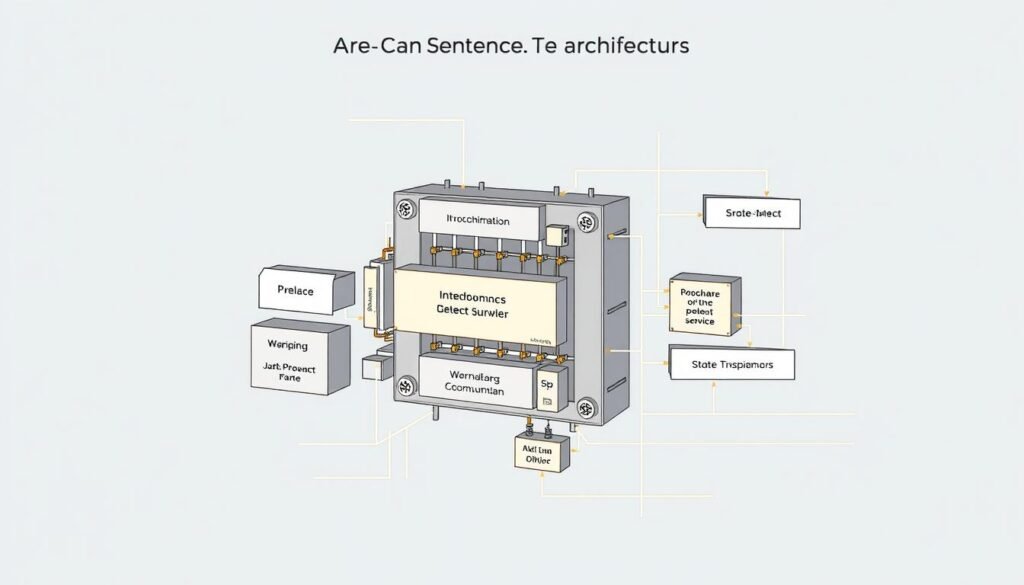
Sentence Transformers are highly effective for tasks that require understanding the context and meaning of text. They can be fine-tuned for specific tasks, making them a versatile choice for generating embeddings.
Generating and Storing Document Embeddings
The process of generating and storing document embeddings involves several key steps. We use the index_documents function to index document chunks into our Chroma vector store.
def index_documents(chunks, embedding_function, persist_directory=CHROMA_PATH):
    vectorstore = Chroma.from_documents(
        documents=chunks,
        embedding=embedding_function,
        persist_directory=persist_directory
    )
    vectorstore.persist()
    return vectorstore
This function takes in document chunks, an embedding function, and a persistence directory, and returns a Chroma vector store. The embeddings are generated using the provided embedding function, and the resulting vector store is persisted to disk.
To efficiently handle large document collections, we can employ batch processing techniques. This involves processing documents in batches, rather than all at once, to avoid memory issues.
To manage the embedding pipeline, we need to track progress and handle errors. We can implement progress tracking by monitoring the number of documents processed and the time taken. Error handling can be achieved by wrapping the embedding generation code in a try-except block.
Verifying the quality of generated embeddings is crucial to ensure that our RAG chatbot provides accurate responses. We can do this by checking the similarity between the generated embeddings and the original documents.
Designing the Complete RAG Pipeline
Designing a comprehensive RAG pipeline is crucial for creating an effective private chatbot. This involves integrating various components to ensure seamless information retrieval and generation. A well-designed pipeline is essential for achieving accurate and relevant responses to user queries.
Connecting Document Retrieval to the Mistral Generator
To create an effective RAG pipeline, we need to connect the document retrieval system to the Mistral generator. This involves configuring the embedding pipeline to work in tandem with the Mistral model, ensuring that relevant documents are retrieved and used to generate accurate responses. The Mistral model is particularly suited for this task due to its high efficiency and multilingual capabilities.
The connection between document retrieval and the generator is critical, as it enables the chatbot to provide contextually relevant responses. By leveraging the RAG architecture, we can ensure that the chatbot has access to a vast knowledge base, which is essential for handling complex queries.

Building an Effective Prompt Template for RAG
Building an effective prompt template is a crucial aspect of RAG pipeline design. The prompt template guides the model in generating responses based on the retrieved context and user query. A well-designed template helps the model distinguish between the retrieved documents and the user’s query, ensuring clarity in the response.
An example of an effective prompt template is:
Answer the following query based on the provided context. If the context does not include an answer, reply with ‘I don’t know’.\n
Query: {{query}}
Documents:
{% for doc in documents %}
{{ doc.content }}
{% endfor %}
Answer:
This template structures the prompt to include the query, relevant documents, and a clear instruction for the model to follow.
By crafting a well-designed prompt template, we can significantly improve the quality and relevance of the chatbot’s responses, ultimately enhancing the user experience.
Implementing the Chat Interface
Now, let’s focus on implementing the chat interface for our private RAG chatbot. The chat interface is a crucial component that enables users to interact with our chatbot seamlessly.
Creating a Simple Command-Line Interface
To start, we’ll create a simple command-line interface (CLI) for our chatbot. This involves designing a user-friendly input system that can capture user queries and display responses clearly. We can achieve this by using Python’s built-in input and print functions.
A basic CLI can be implemented using a loop that continuously prompts the user for input until a specific exit command is given. For example:
while True:
    user_query = input("User: ")
    if user_query.lower() == "exit":
        break
    # Process the user query
Processing User Queries and Formatting Responses
Processing user queries involves several steps, including query preprocessing techniques like normalization, spell checking, and entity recognition. These techniques can significantly improve the retrieval quality of our RAG system.
We can use the following code snippet to query our RAG chain and print the response:
def query_rag(chain, question):
    """Queries the RAG chain and prints the response."""
    print("\nQuerying RAG chain...")
    print(f"Question: {question}")
    response = chain.invoke(question)
    print("\nResponse:")
    print(response)
To format responses effectively, we can implement strategies such as handling citations, formatting long responses, and highlighting key information. This will ensure that the information is presented clearly and is easily understandable by the user.
| Query Processing Step | Description |
|---|---|
| Normalization | Standardizing the query format |
| Spell Checking | Correcting spelling errors in the query |
| Entity Recognition | Identifying key entities in the query |
Testing and Evaluating Your Private RAG Chatbot
The success of your private RAG chatbot depends on thorough testing and evaluation to refine its capabilities. This process involves assessing how well your chatbot responds to various queries and identifying areas for improvement.
Sample Queries to Test Functionality
To evaluate your chatbot’s functionality, you should test it with a diverse set of queries. These can include simple questions, complex multi-step queries, and edge cases that might challenge your RAG pipeline. For instance, you can ask your chatbot to summarize a document, provide definitions, or even generate creative content. By testing with a wide range of queries, you can assess the response quality and identify potential weaknesses.
- Simple factual questions
- Complex multi-step queries
- Edge cases (e.g., ambiguous or misleading queries)
Evaluating Response Quality and Relevance
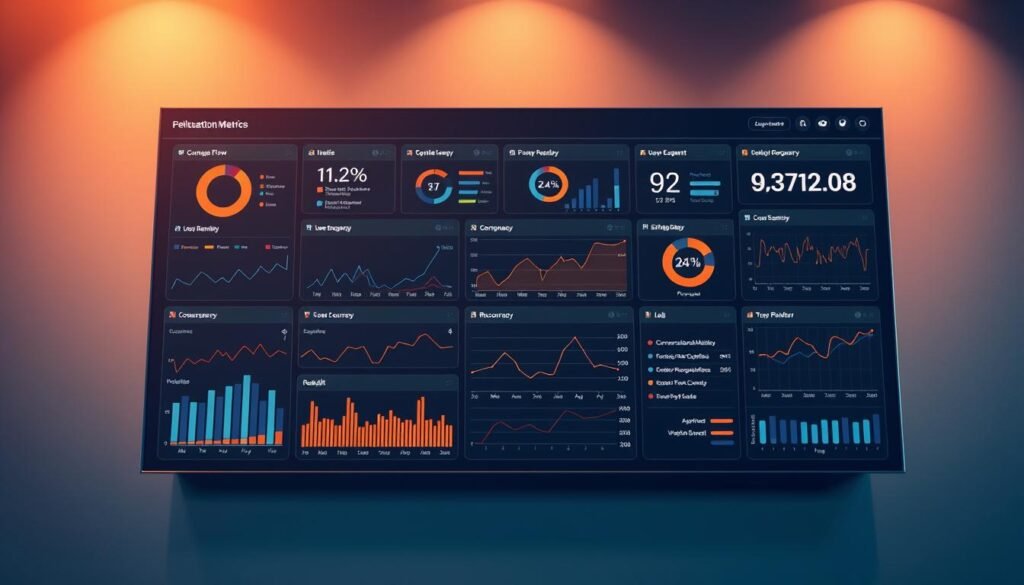
Assessing the quality and relevance of your chatbot’s responses is crucial for understanding its performance. You can use both automated metrics and human evaluation approaches. Common evaluation metrics for RAG systems include precision, recall, and mean reciprocal rank. Additionally, consider implementing A/B testing to compare different configurations of your RAG pipeline and collecting user feedback to continuously improve your chatbot.
| Evaluation Metric | Description | Relevance to RAG Chatbot |
|---|---|---|
| Precision | Measures the accuracy of relevant responses | High precision indicates effective retrieval |
| Recall | Measures the ability to retrieve all relevant information | High recall ensures comprehensive responses |
| Mean Reciprocal Rank (MRR) | Measures the rank of the first relevant response | MRR helps evaluate the effectiveness of the retrieval mechanism |
Optimizing Your RAG System for Better Performance
Optimizing a Retrieval-Augmented Generation (RAG) system for better performance involves a multifaceted approach that balances various factors. To achieve optimal results, it’s essential to fine-tune different components of the system.
Fine-tuning Retrieval Parameters for Accuracy
Fine-tuning retrieval parameters is crucial for improving the accuracy of your RAG system. This involves preprocessing input text into concise, semantically meaningful chunks (256-512 tokens) to align with the model’s context window. Additionally, using metadata filtering during retrieval helps prioritize relevant documents and reduce noise.
Optimizing Context Window Size and Token Limits
Optimizing the context window size and token limits is vital for enhancing the performance of your RAG system. By adjusting these parameters, you can ensure that the model processes information efficiently without sacrificing accuracy. This may involve experimenting with different token limits to find the optimal balance for your specific use case.
Balancing Speed and Quality in Local Deployments
Balancing speed and quality is a critical challenge in local RAG deployments. Techniques such as model quantization to 8-bit can significantly reduce memory requirements and inference time with minimal accuracy loss. Caching frequent queries and employing batch processing for parallel inference are also effective strategies for improving performance. Regular evaluation of retrieval hit rates and answer quality helps refine the pipeline iteratively.
By implementing these optimization strategies, you can significantly enhance the performance of your RAG system, achieving a balance between speed and quality that meets your specific needs.
Troubleshooting Common Issues
As you build and deploy your private RAG chatbot, you may encounter various issues that need to be addressed. Troubleshooting these problems is crucial for maintaining the efficiency and effectiveness of your system.
Handling Memory and VRAM Limitations
One common challenge is managing memory and VRAM limitations, especially when dealing with large models and datasets. To mitigate this, you can optimize your batch sizes and consider using model pruning techniques to reduce the memory footprint of your model. Additionally, utilizing a GPU with sufficient VRAM can significantly improve performance.

Addressing Slow Response Times
Slow response times can be frustrating for users. To address this, you can optimize your retrieval pipeline by fine-tuning your embedding model and improving the quality of your document index. Implementing caching mechanisms for frequently accessed documents can also help reduce latency.
Fixing Embedding and Retrieval Problems
Issues with embedding and retrieval can significantly impact the quality of your RAG system’s responses. To troubleshoot these problems, you can check the quality of your document embeddings and ensure that your retrieval mechanism is correctly configured. Techniques like query expansion and re-ranking can also improve retrieval accuracy.
By systematically addressing these common issues, you can significantly improve the performance and reliability of your private RAG chatbot. Regular monitoring and maintenance are key to ensuring your system continues to operate effectively.
Cost Comparison: Private vs. API-Based RAG Solutions
The cost dynamics of RAG systems, including both private and API-based deployments, warrant a detailed examination. When evaluating the financial implications of implementing a Retrieval-Augmented Generation (RAG) pipeline, it’s essential to consider various factors, including vector storage, compute resources, and API usage.
One-Time Setup Costs vs. Ongoing API Expenses
One of the primary advantages of a private RAG solution is the shift from ongoing API expenses to one-time setup costs. While API-based solutions incur recurring costs based on usage, a private deployment requires initial investment in hardware and setup. Key cost drivers for API-based solutions include vector database queries, embedding generation, and LLM inference. In contrast, a private RAG chatbot eliminates these recurring expenses, potentially leading to significant long-term savings.
- Initial Investment: Hardware and software setup costs for private deployment
- Ongoing Expenses: Maintenance, updates, and electricity costs for private deployment
- API Costs: Per-query charges for embedding generation, vector database queries, and LLM inference in API-based solutions
Hardware Requirements and Resource Considerations
Running a private RAG chatbot with Mistral requires careful consideration of hardware specifications. The main components to consider are CPU, RAM, GPU, and storage.
To ensure optimal performance, I’ll detail the hardware requirements for running a private RAG chatbot with Mistral, from minimum specifications to recommended configurations. The different components of the RAG system utilize various hardware resources in distinct ways:
- CPU: Handles general processing tasks and some aspects of NLP computations
- RAM: Crucial for loading models and processing large datasets
- GPU: Essential for accelerating LLM inference and embedding generation
- Storage: Required for storing the model, vector database, and document corpus
Scaling your hardware based on expected usage patterns, document volume, and performance requirements is crucial. For different deployment scenarios, from personal use to small business applications, cost-effective hardware options are available. Monitoring resource utilization and identifying potential bottlenecks in your hardware configuration is also vital. Future-proofing considerations will ensure your hardware investment remains viable as models and techniques evolve.
Unleashing the Full Potential of Your Private RAG Chatbot
Having created a powerful private RAG chatbot, you’re ready to unlock new applications and capabilities. Your intelligent RAG system, built with cutting-edge tools like Haystack, Pgvector, Mistral Nemo, and the all-minilm embedding model, is now poised to transform raw data into insightful, context-aware answers.
The potential of your chatbot extends far beyond basic question answering. You can leverage it for research, customer service, or personal productivity, among other uses. Advanced features like multi-modal capabilities, tool use, or agent frameworks can further enhance its functionality.
Integrating your RAG chatbot with other systems and services can significantly expand its capabilities. As local AI continues to evolve, your private RAG chatbot can adapt to emerging technologies, ensuring it remains at the forefront of AI innovation.
Looking to the future, the possibilities for your RAG chatbot are vast. You can continue to optimize its performance, explore new applications, and push the boundaries of what’s possible with local AI. With your newfound skills, you’re well-equipped to tackle more sophisticated AI projects and unlock new opportunities in the world of AI.
As you move forward, remember that your private RAG chatbot is not just a tool, but a gateway to a world of AI-driven solutions. Embrace the journey of continuous improvement and innovation, and you’ll be amazed at what you can achieve with your chatbot and the power of RAG technology.